Brands (Suppliers)
You can define as many brands or suppliers as you wish in your serB2B system, list all brand / supplier information, and view contact and other detail information.
In addition, by integrating the serTedarik Module into your serB2B system, you can enable your suppliers to easily add products to the serB2B system.
What is the serTedarik System? How is the serTedarik Module Activated?
To activate the serTedarik Module in your serB2B system and learn all information about the serTedarik module, you can contact us at [email protected].
Adding a New Brand / Supplier
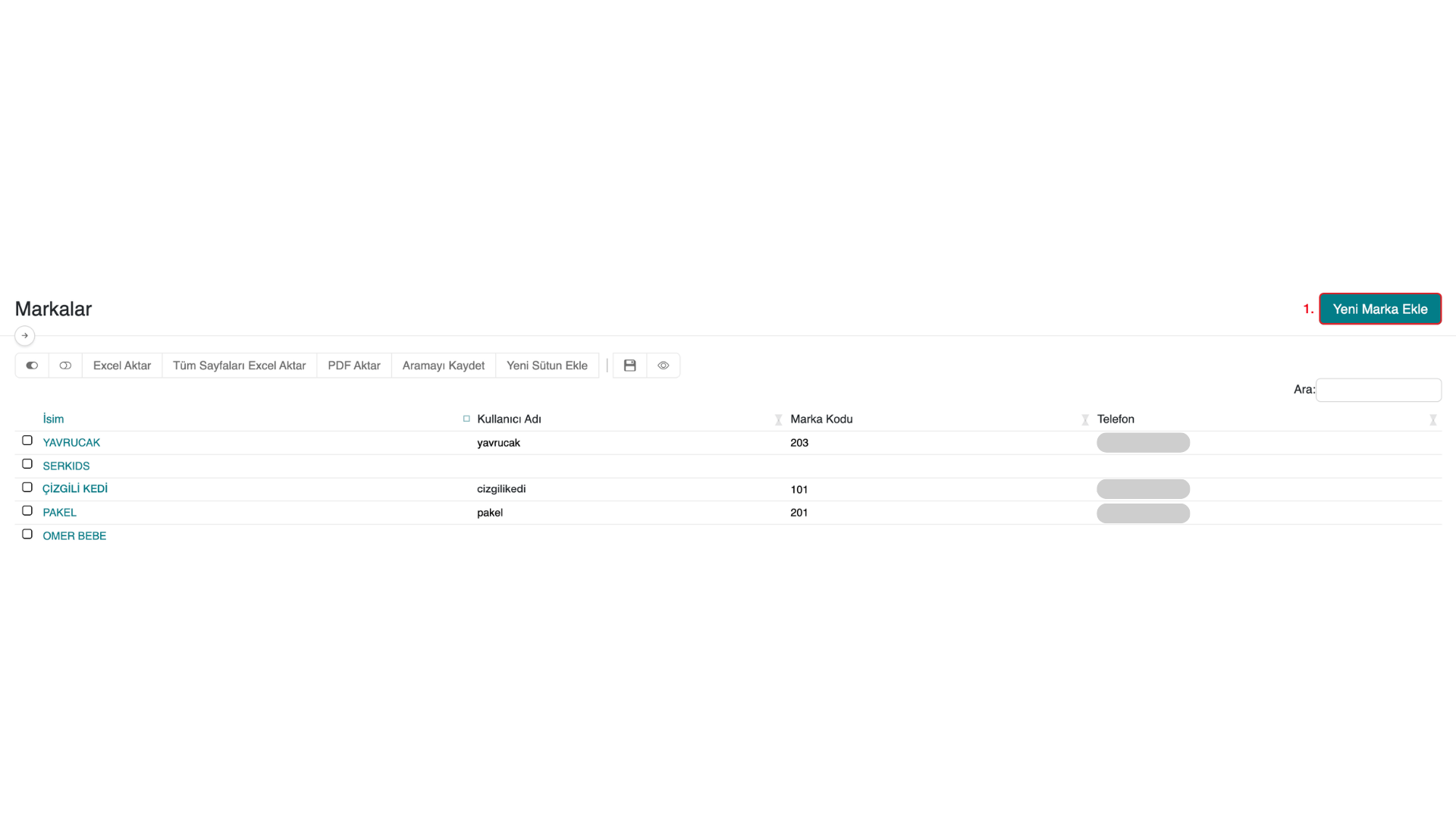
Go to the Products > Brands section in your serB2B admin panel. Follow the steps below to add a new brand.
- Click the Add New Brand button.
- Define the Brand Name.
- Click the Save button.
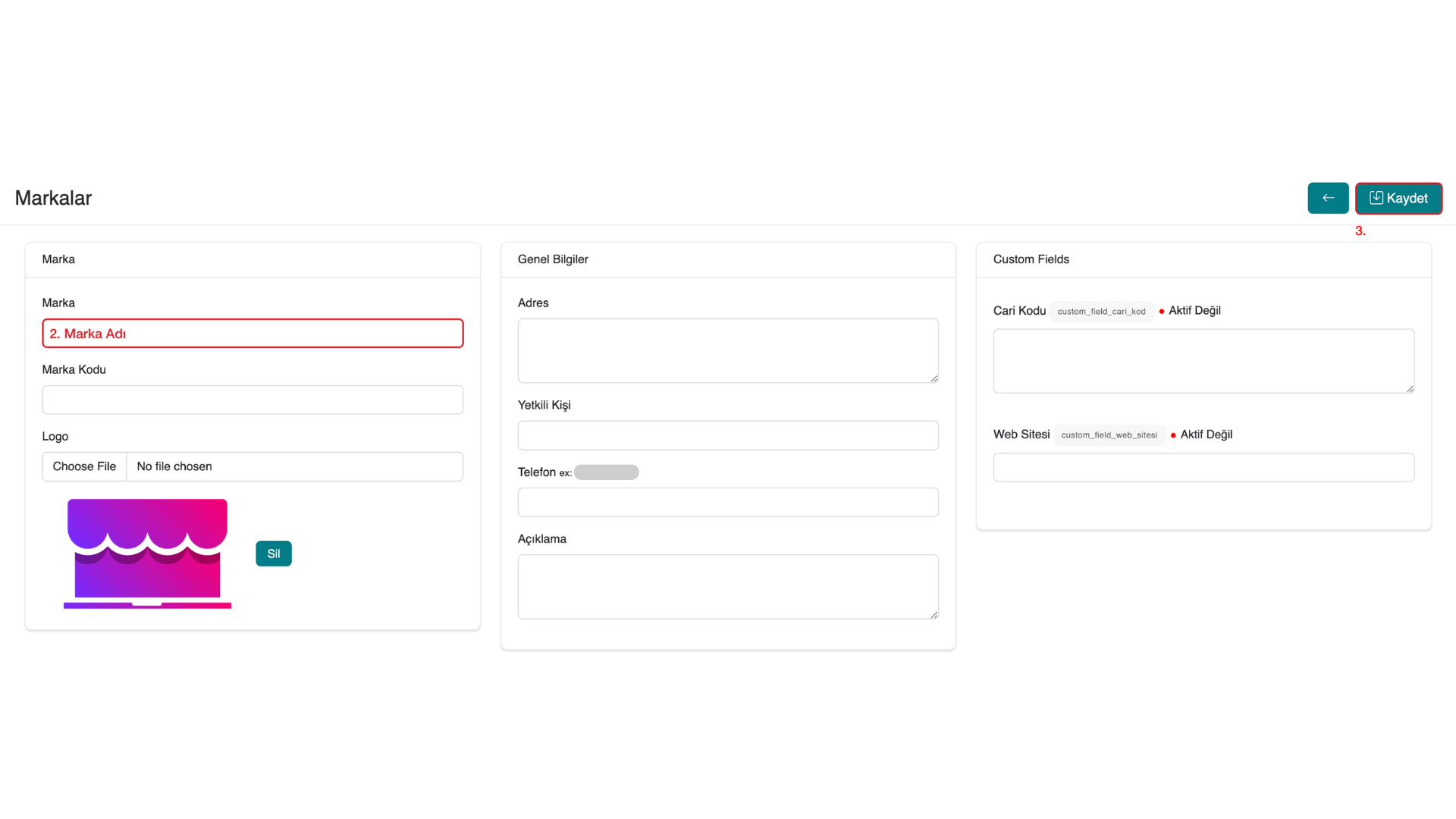
You can optionally define more information for the Brand / Supplier.
Listing Brands / Suppliers
Go to the Products > Brands section in your serB2B admin panel to list brands / suppliers.
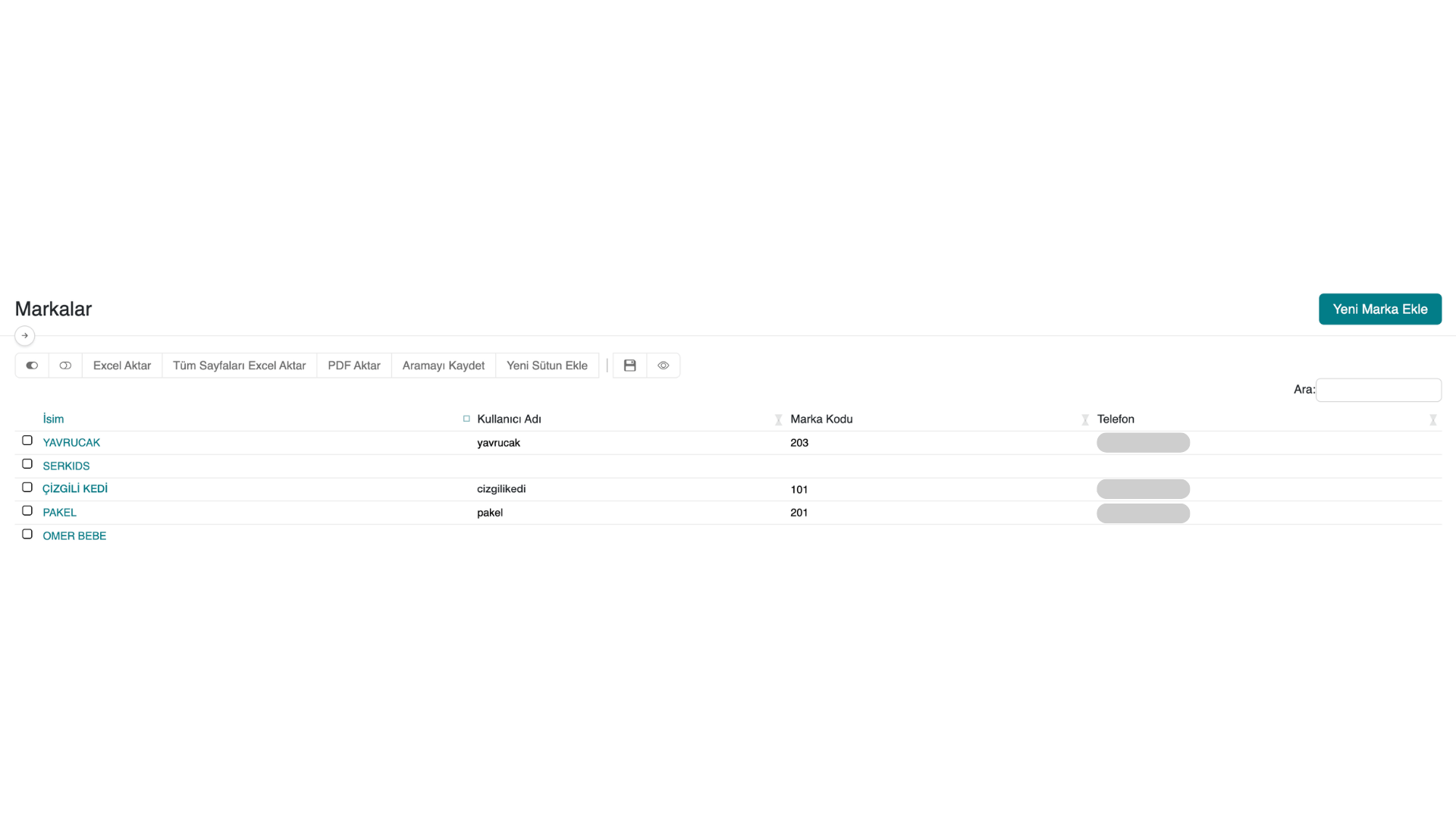
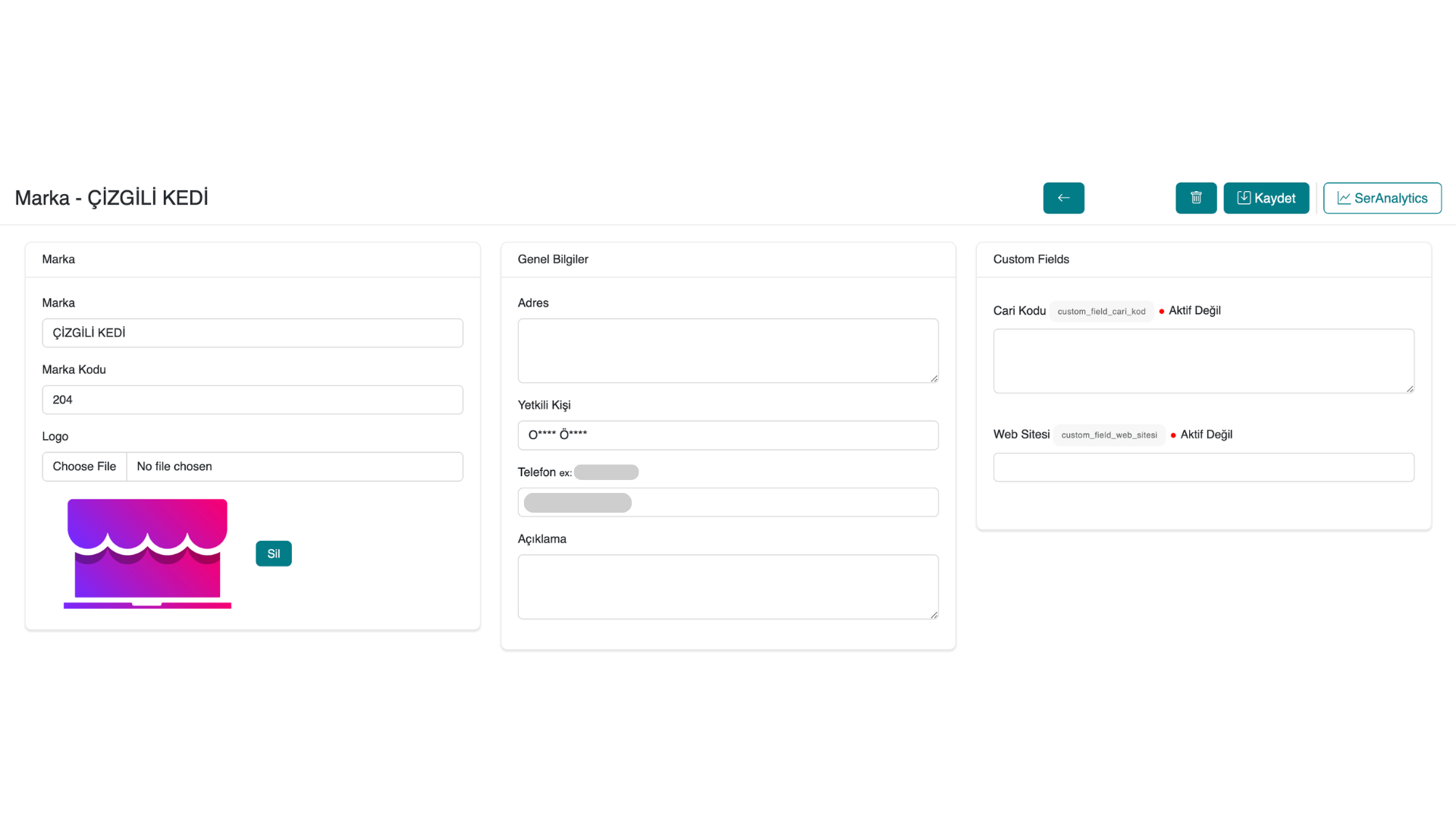
Viewing Brand / Supplier Information
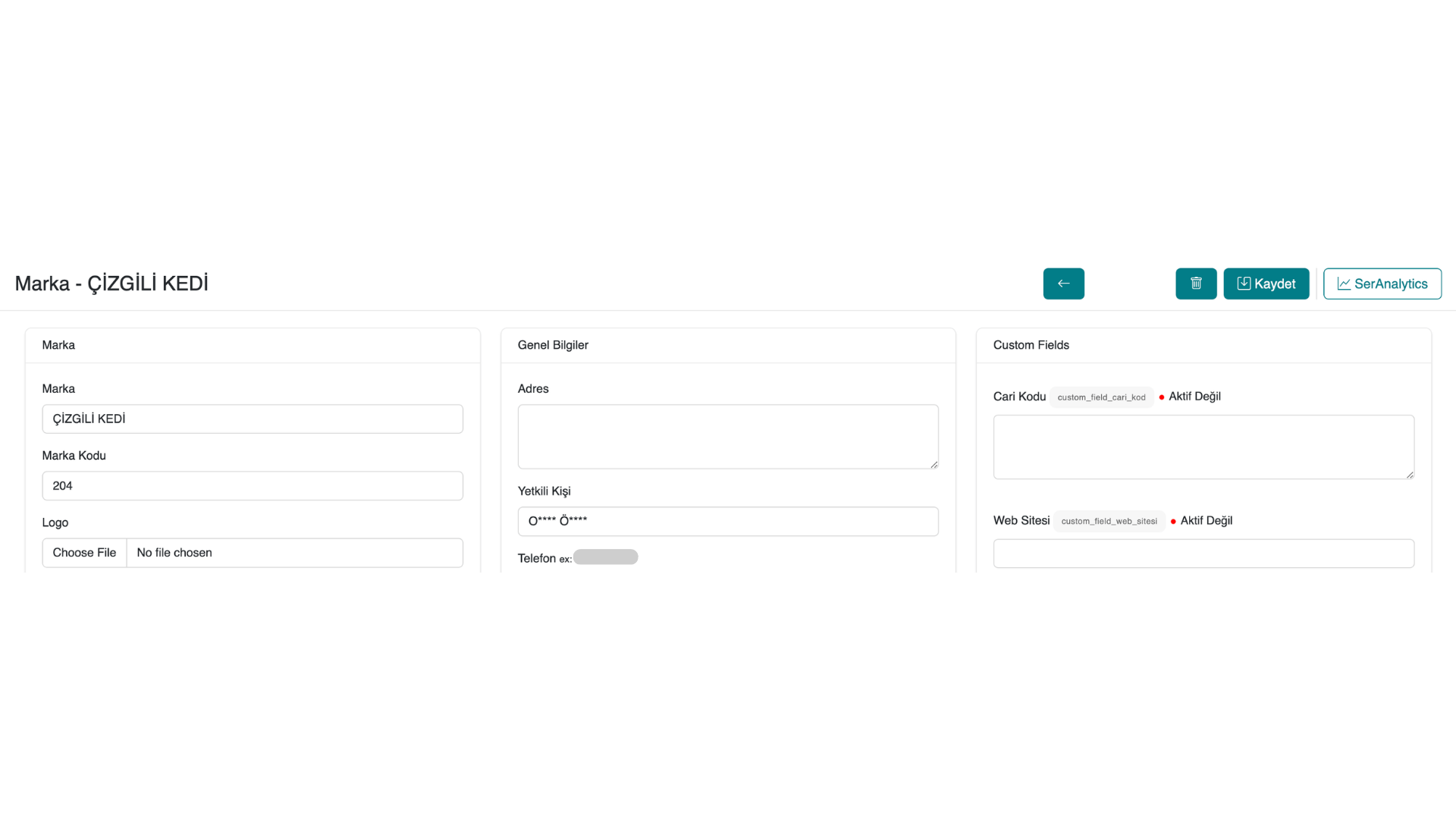
Go to the Products > Brands section in your serB2B admin panel to list brands / suppliers. Then click on the relevant brand / supplier name and view the detail information.
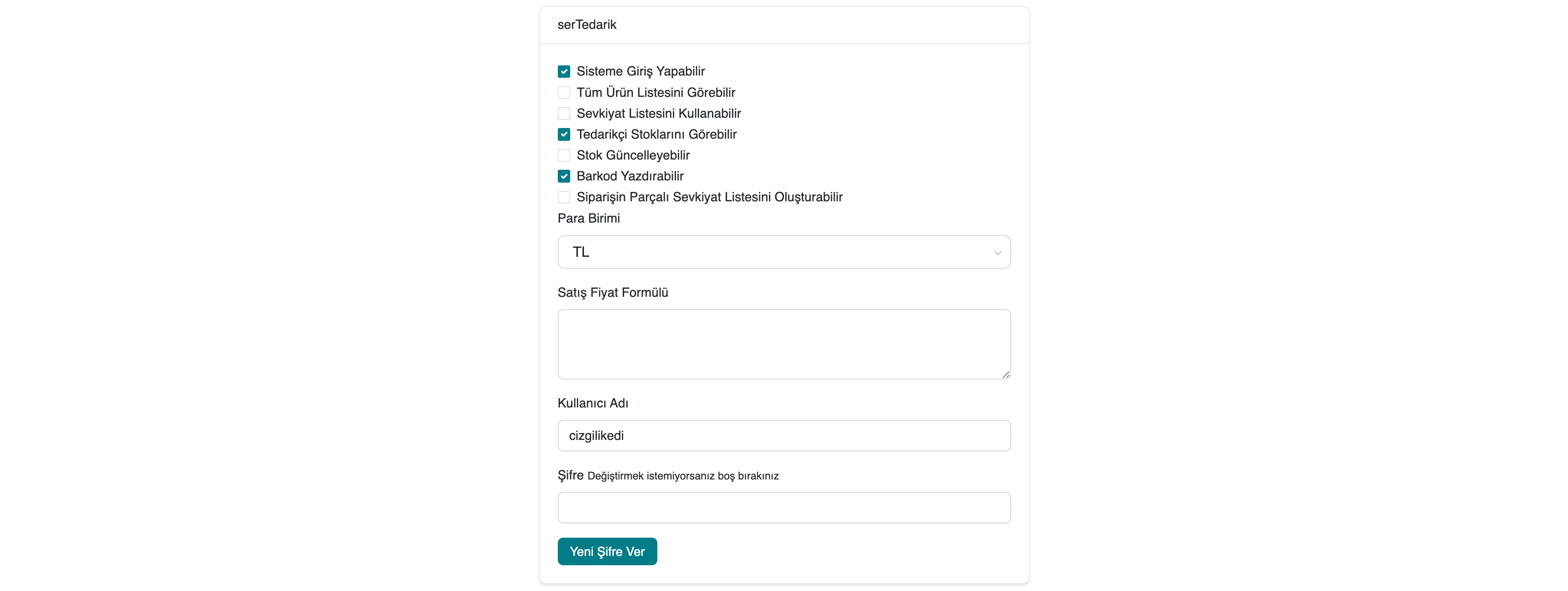
serTedarik Authorisations
If the serTedarik Module is active in your serB2B system, define / view the authorisations for the relevant supplier.
What is the serTedarik System? How is the serTedarik Module Activated?
To activate the serTedarik Module in your serB2B system and learn all information about the serTedarik module, you can contact us at [email protected].
Deleting a Brand / Supplier
Go to the brand detail of the brand / supplier record in your serB2B system. Click the  button in the top right corner to delete and remove the record.
Frequently Asked Questions
-
Can I add a supplier without activating the serTedarik module?
Yes, even if the serTedarik module is not active, you can manually add an unlimited number of brands or suppliers, list all their information, and view their details. serTedarik only enables suppliers to add products through the system.
-
If the serTedarik module is active, can all suppliers add products?
No. Even if the serTedarik module is active, each supplier must be authorised separately. Authorised suppliers can add products to the system.
Contact and Support
For any questions or support requests, you can contact our support team. We will be happy to help.