Bulk Product Price Update
You can update product prices in bulk through the serB2B panel, and easily apply campaign or special price adjustments.
How Do I Access This Page?
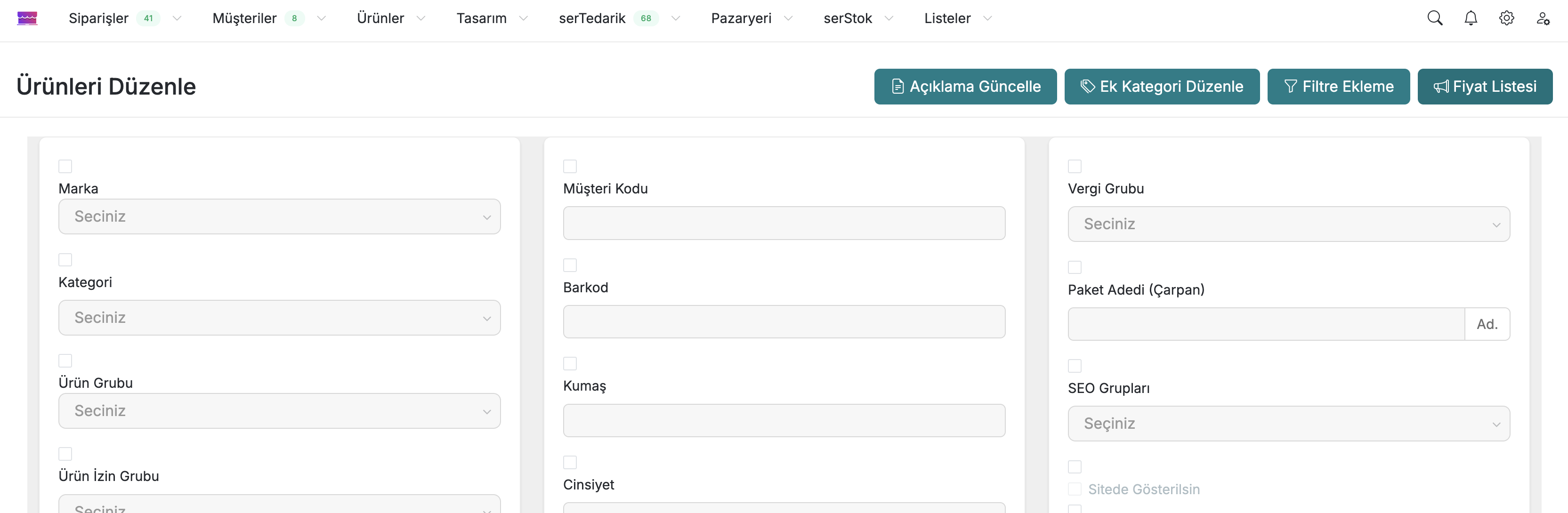
- Go to the Admin Panel > Products > All Products page.
- Select multiple products using the checkbox on the right and click Bulk Selection.
- On the new page that opens, click the Price List button in the top right.
1. Bulk Pricing Settings
Describes the interface and functions used to edit product prices in bulk. This interface is used to apply bulk discounts to product prices or to apply fixed pricing.
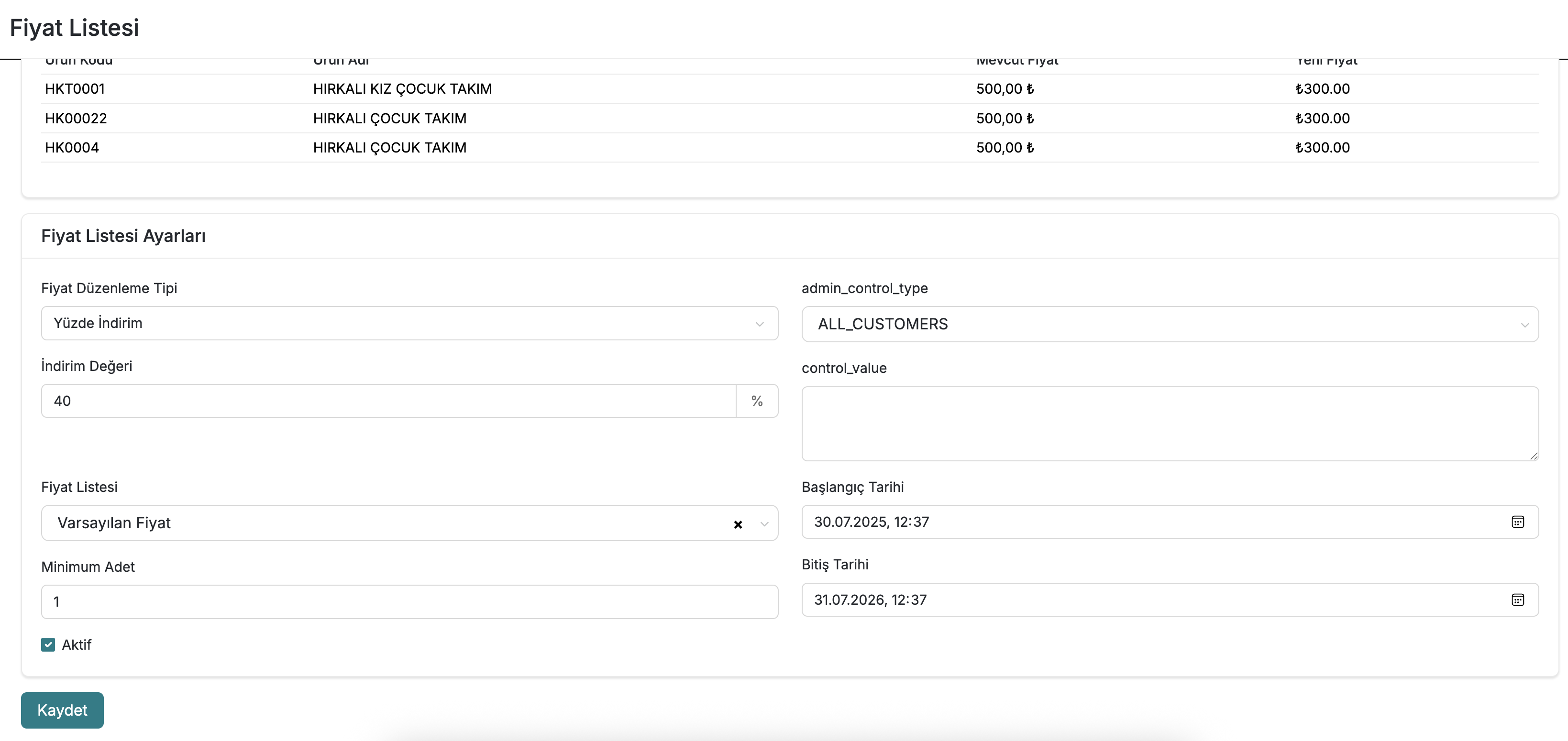
2. Price Adjustment Type
- Percentage Discount: Applies a percentage-based discount on the current prices of products. For example, the
40% Discountoption reduces the prices of all products by 40%. This option provides a practical method for creating campaigns. - Fixed Price: Assigns a new fixed price to products. This option can be used when manual pricing is required, such as in cases where data from accounting software does not fall to a fixed price.
3. Discount Value / Fixed Price Value
- This field is filled in according to the selected adjustment type.
- When Percentage Discount is selected: Enter the discount rate as a percentage (e.g.,
40). - When Fixed Price is selected: Enter the fixed price to be applied to the products.
- When Percentage Discount is selected: Enter the discount rate as a percentage (e.g.,
4. Price List
- Select the price list to which the adjustment will be applied.
Start Date & End Date
- Start Date: Set when the price adjustment will become active.
- End Date: Set when the price adjustment will end. This date range is particularly useful for campaigns.
tip
The bulk price update only applies to manually selected products. It is recommended to filter the products you actually want to update before selecting all of them.
info
This feature is particularly useful for seasonal campaigns, season discounts, or stock clearance campaigns.