Products Pending Approval
Products that the buyer wants to order through serStok are not sent directly if the 2nd approval mechanism is active; they first appear on this screen. The authorised user reviews the pending products and makes the final purchase decision from this page.
To access this tab; Admin Panel > serStok > Products Pending Approval
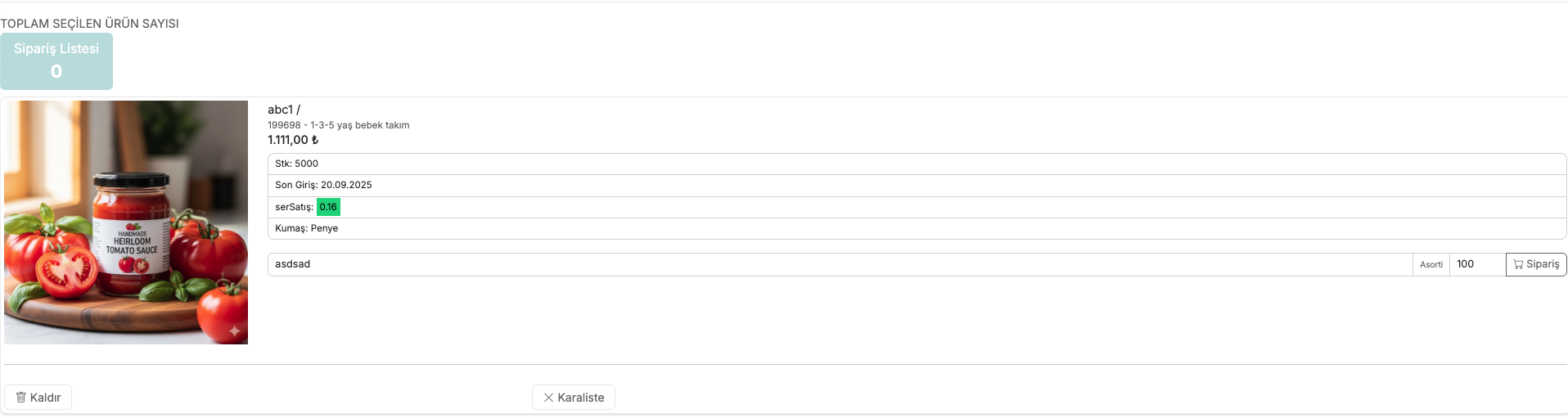
1. Review Products Pending Approval
When the page opens, all products awaiting approval are listed.
At the bottom, there are two action buttons for each product:
- Remove — Removes the product from the approval list
- Blacklist — Marks the product as blacklisted
2. Add Products to the Order List

Enter the required product quantity for the products you have reviewed and click the cart icon. When the product is added to the order list:
- The counter on the Order List button in the top left increases
- The approved product is removed from the list
3. Approve the Order
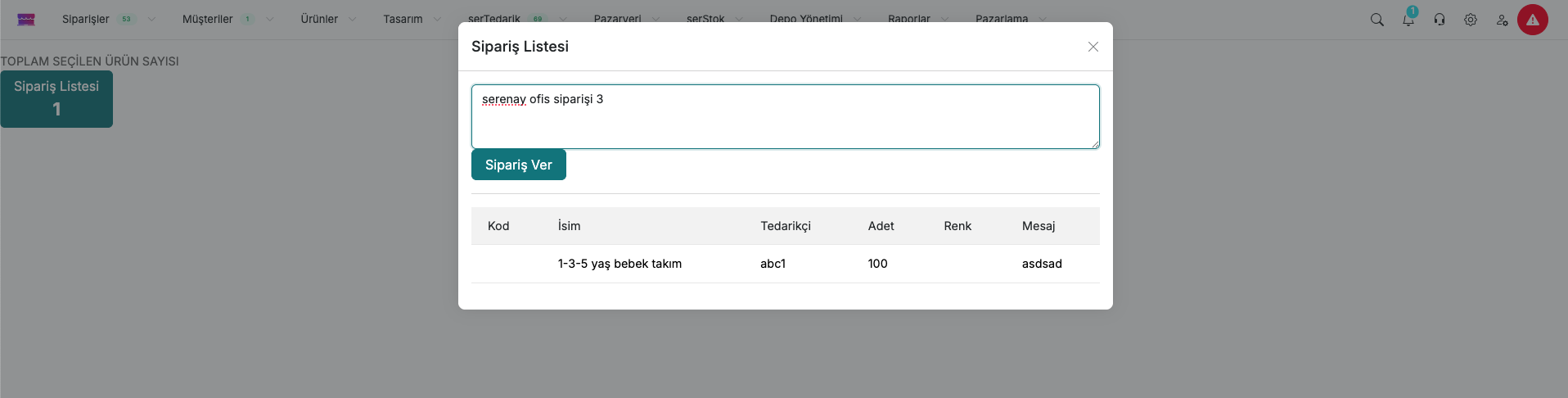
After adding all products to the list, click the Order List button. In the Order List window that opens:
- A summary of the products you added is displayed: Code, Name, Supplier, Quantity, Colour, Message
- You can optionally write a general description in the field at the top
- Click the Place Order button to confirm the order
4. Send the Order
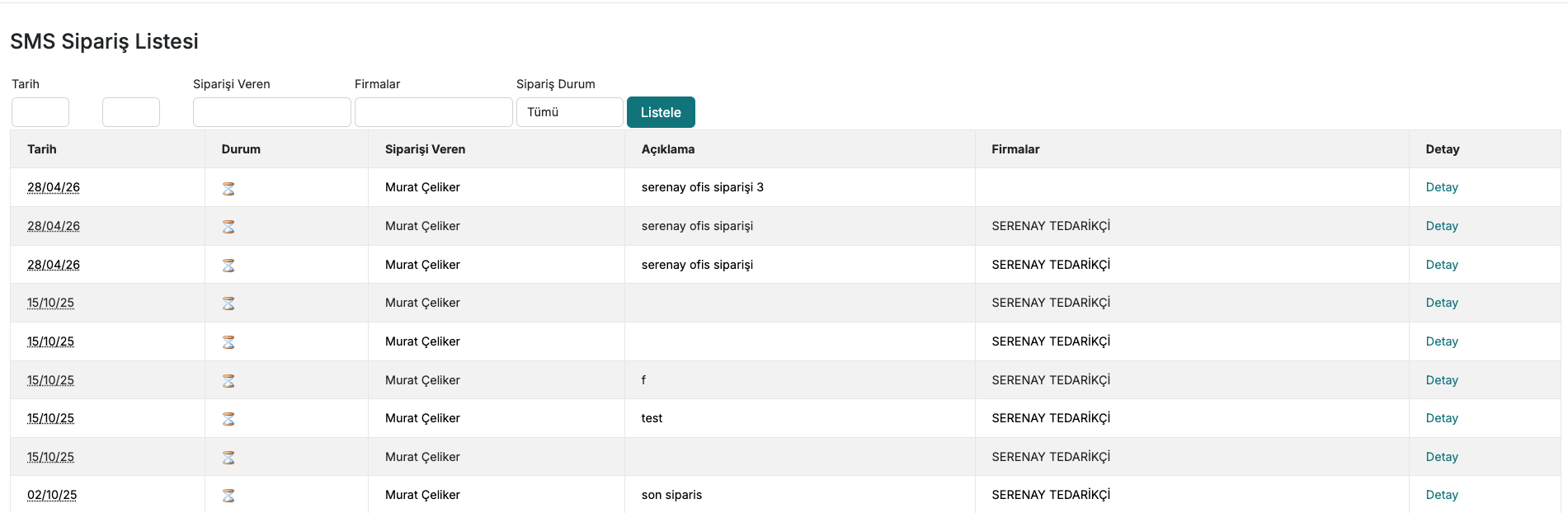
- After the order is confirmed, you are redirected to the SMS Order List page.
Contact and Support
If you encounter any issues or need assistance, you can contact our support team. We will be happy to assist you as soon as possible.