Logs
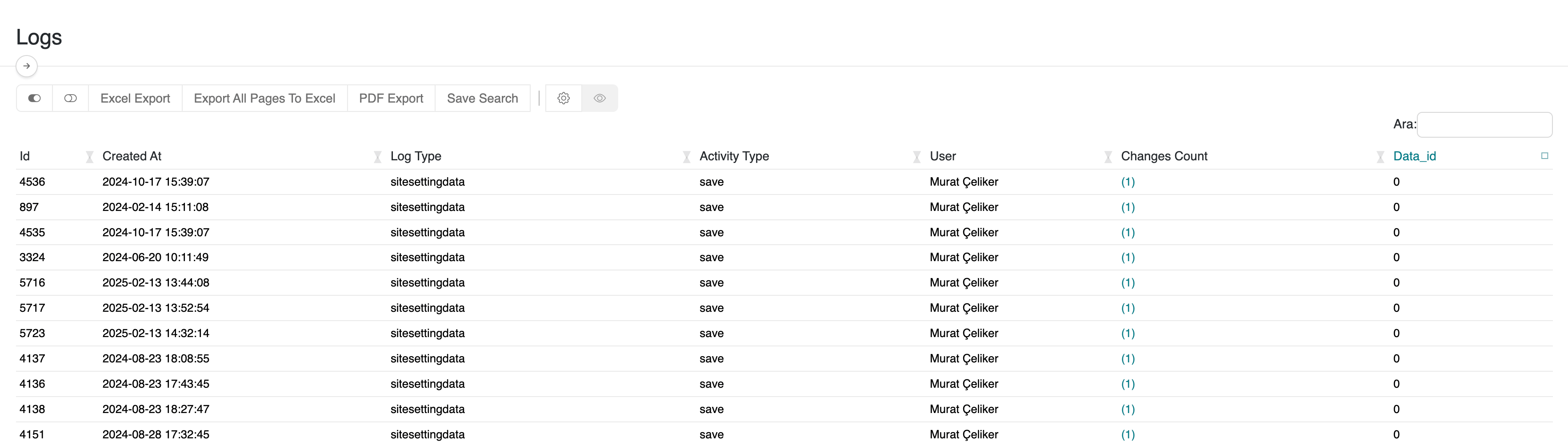
The Logs page provides comprehensive records of all user activities within the serB2B system. Access it via Lists > Logs in the admin panel. Each log entry includes essential information for auditing and system monitoring:
- Log Type
- Activity Type
- Data ID
- Changes Count (indicating how many fields were modified)
Click on the Changes Count to view detailed change data for each log entry.
Log List Interface
Each record in the Logs page displays the following columns:
- Log Type: The type of the affected entity (e.g. cartitem, product, order, etc.)
- Activity Type: The action performed (e.g. save, update, delete, etc.)
- Data ID: The unique system ID of the modified entity
- Number of Changes: The total number of fields changed in the transaction
Detailed Change View
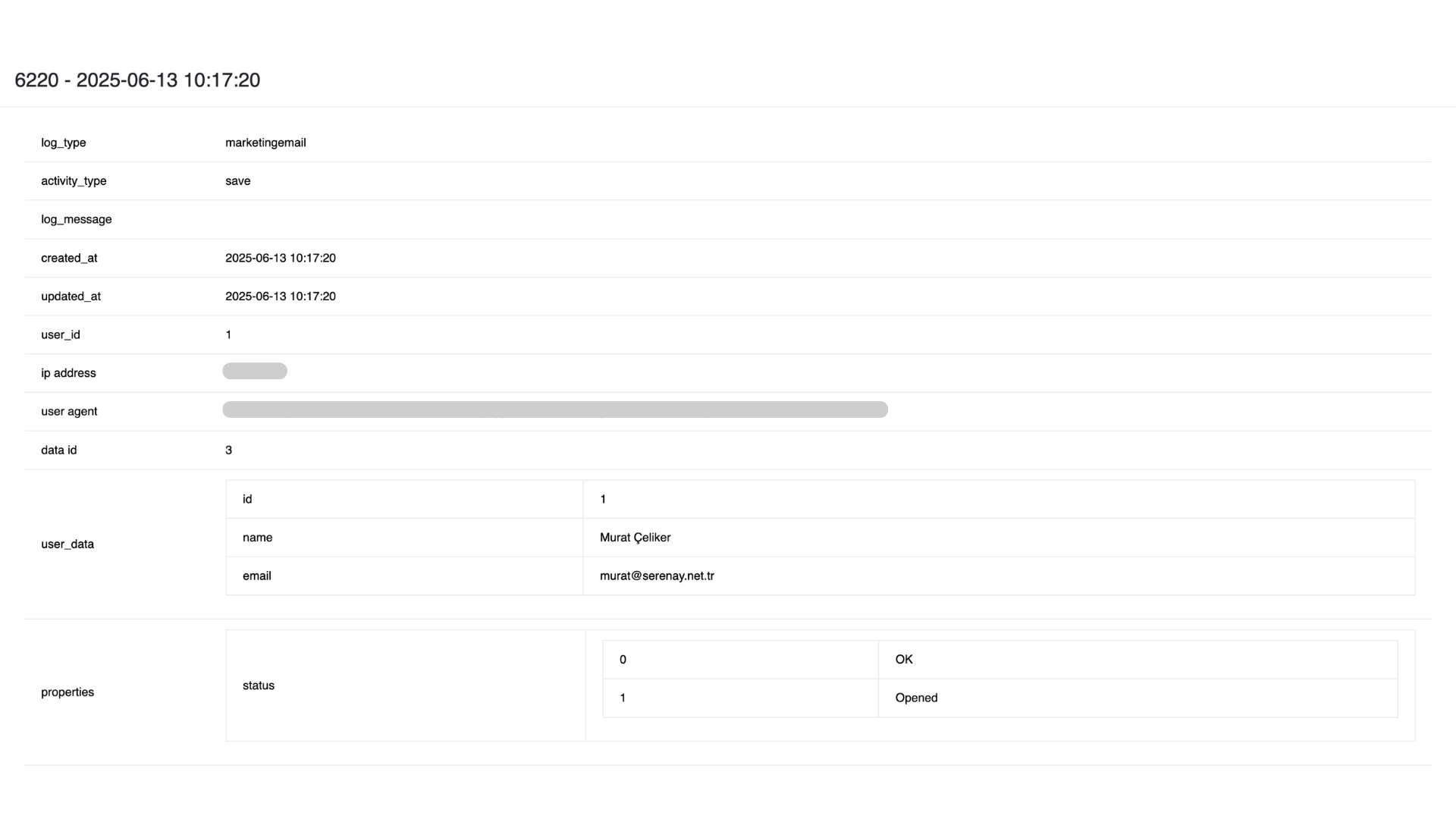
When clicking on Number of Changes, a detailed view displays both general log data and field-level modifications.
General Information
- log_type — Affected entity type
- activity_type — Performed action (e.g. save, update)
- log_message — Custom message (if applicable)
- created_at — Timestamp of log creation
- updated_at — Timestamp of the last update (usually identical to creation for single actions)
- user_id — ID of the user who executed the action
- ip address — IP address of the user
- user agent — Browser and device information
- data id — Related data ID
- user_data — User details (such as name and email)
Field-Level Changes (properties)
The properties section provides a detailed comparison of each modified field, listing both previous and new values for clear traceability.
Note: Old and new values are displayed side-by-side for quick review.
Key Benefits
- Complete visibility of system activity and changes
- Detailed data modification tracking
- Monitoring of user behavior and system usage
- Valuable for auditing, compliance, and debugging processes
- Captures both general metadata (IP, user agent) and granular field-level updates
Frequently Asked Questions (FAQ)
-
1. How long are logs stored?
Log retention depends on your serB2B subscription plan and system configuration. -
2. Who has access to the Logs page?
Only authorized admin users can access and review log records.
Resources
Contact
For further questions or support, please contact our support team. We’re always happy to assist you.