Cart Reminder
Cart Reminder allows you to configure cart reminder notification settings. It can be accessed from the serB2B admin panel under Settings > Cart Reminder.
Settings
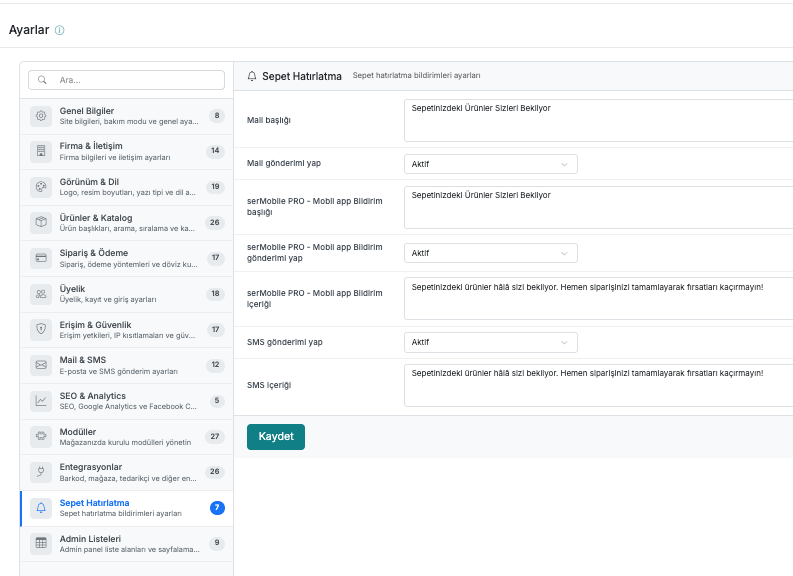
| # | Field | Description |
|---|---|---|
| 1 | Email subject | The subject line of the cart reminder email. (e.g. Your Cart Items Are Waiting for You) |
| 2 | Send email | Determines whether the cart reminder email will be sent. |
| 3 | serMobilePRO - Mobile app notification title | The title of the mobile app push notification. (e.g. Your Cart Items Are Waiting for You) |
| 4 | serMobilePRO - Mobile app send notification | Determines whether the mobile app push notification will be sent. |
| 5 | serMobilePRO - Mobile app notification content | The content text of the mobile app push notification. |
| 6 | Send SMS | Determines whether the cart reminder SMS will be sent. |
| 7 | SMS content | The content text of the cart reminder SMS. |