Bulk Translation Management
The Bulk Product Translation Management module, developed for multilingual stores, allows you to manage the translation processes of product data in a centralised and controlled manner. This system aims to speed up your workflow by automating translation operations and minimise potential errors.
Accessing the Module
To access the Bulk Product Translation Management module, please follow the steps: Admin Panel > Products > Bulk Translation.
Module Functions
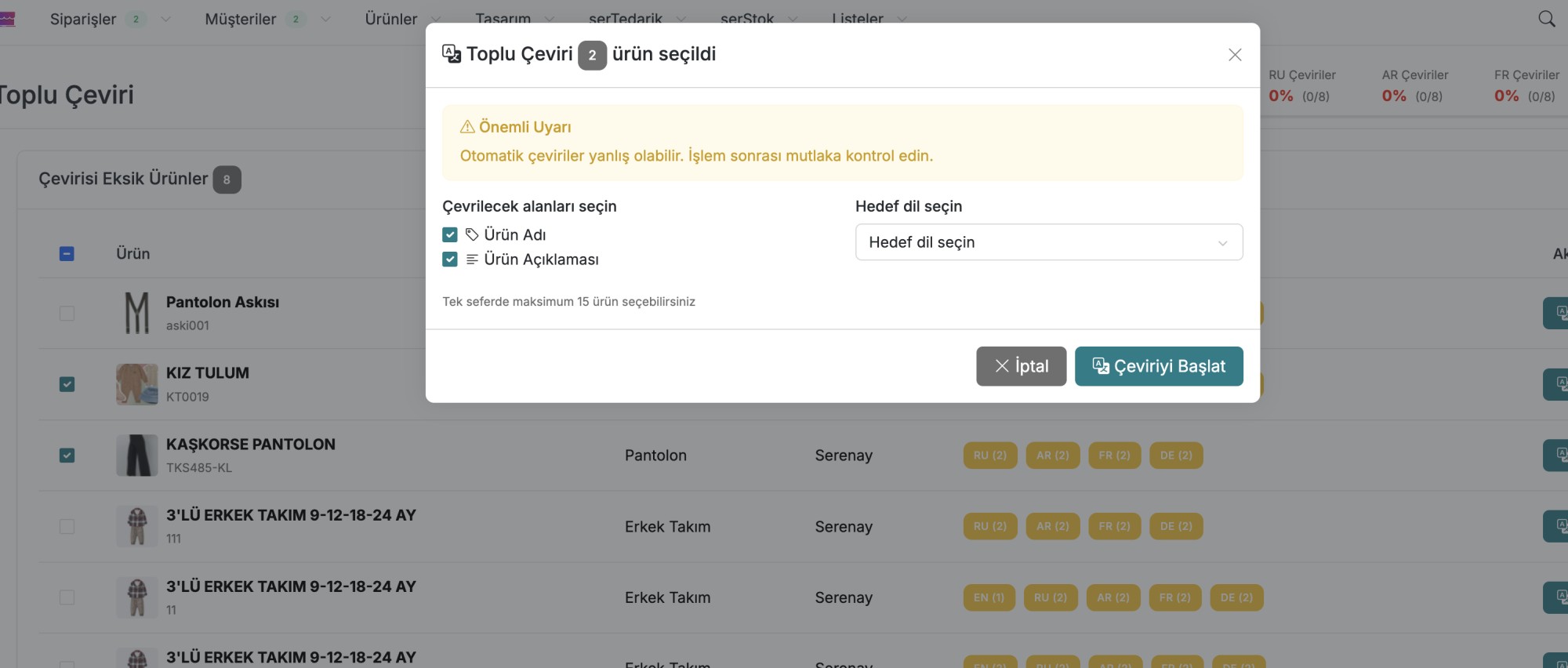
- Translation Status Check: The system analyses the current translation status of product titles, descriptions, and other text fields, providing the user with a clear overview. This feature makes it easy to identify content that has not been translated or is out of date.
- Flexible Translation Management: The module allows detailed translation editing on a per-product basis, as well as the ability to perform bulk translation operations for a selected number of products. This provides flexible management according to workload and priorities.
- Controlled and Fast Content Update: Automatic analysis and bulk processing capabilities make the management of multilingual store content faster and more consistent, significantly reducing the manual workload.
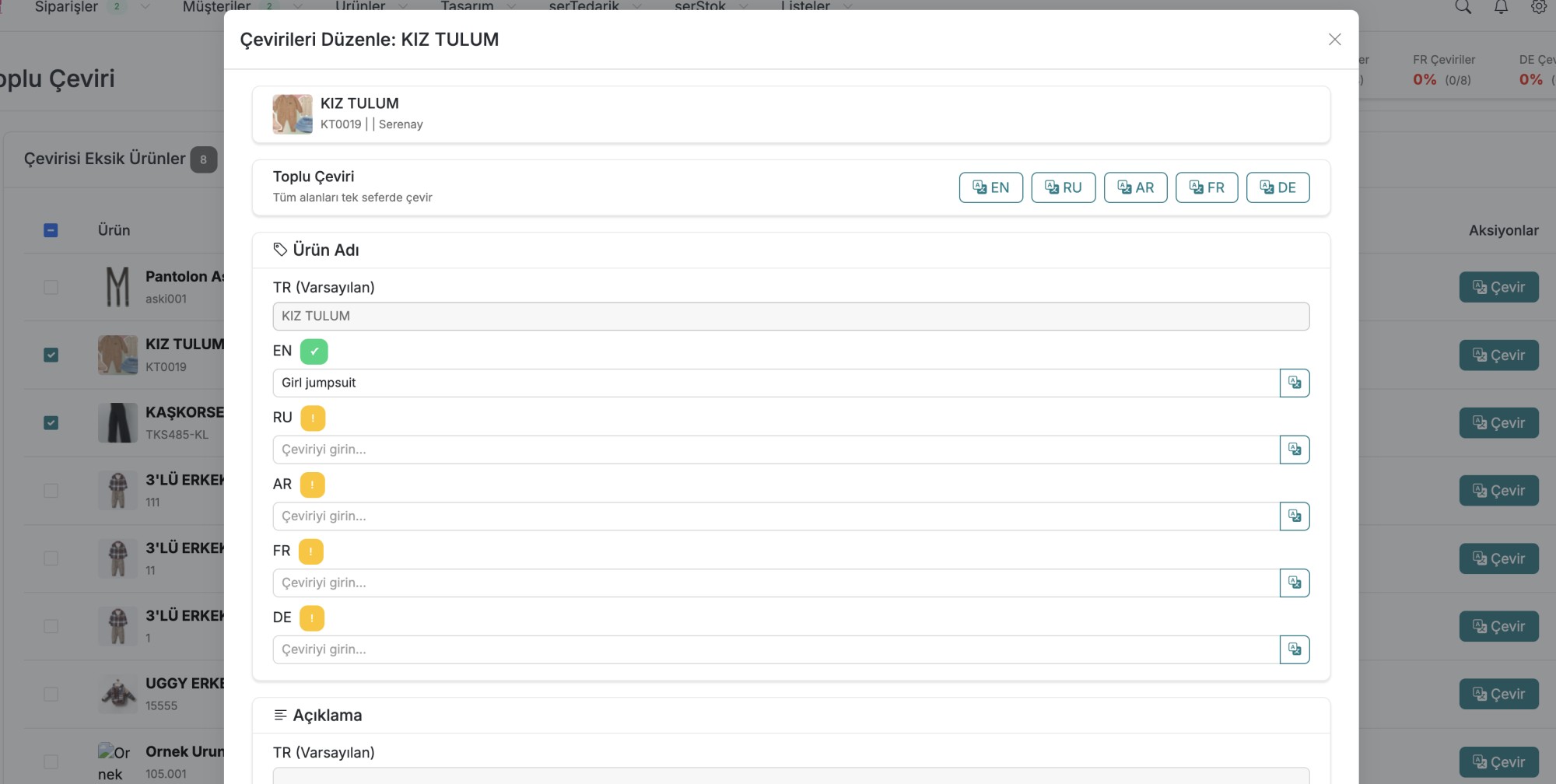
How to Perform Bulk Product Translation?
info
In this video, you will see step by step how to apply bulk translation operations for products.
Support and Contact
For any questions or support requests, please contact us at [email protected].