serCRM
Some customers may not log into the system for a long time after placing their first order. With this feature, you can easily identify such customers, take notes about them, and plan the necessary actions.
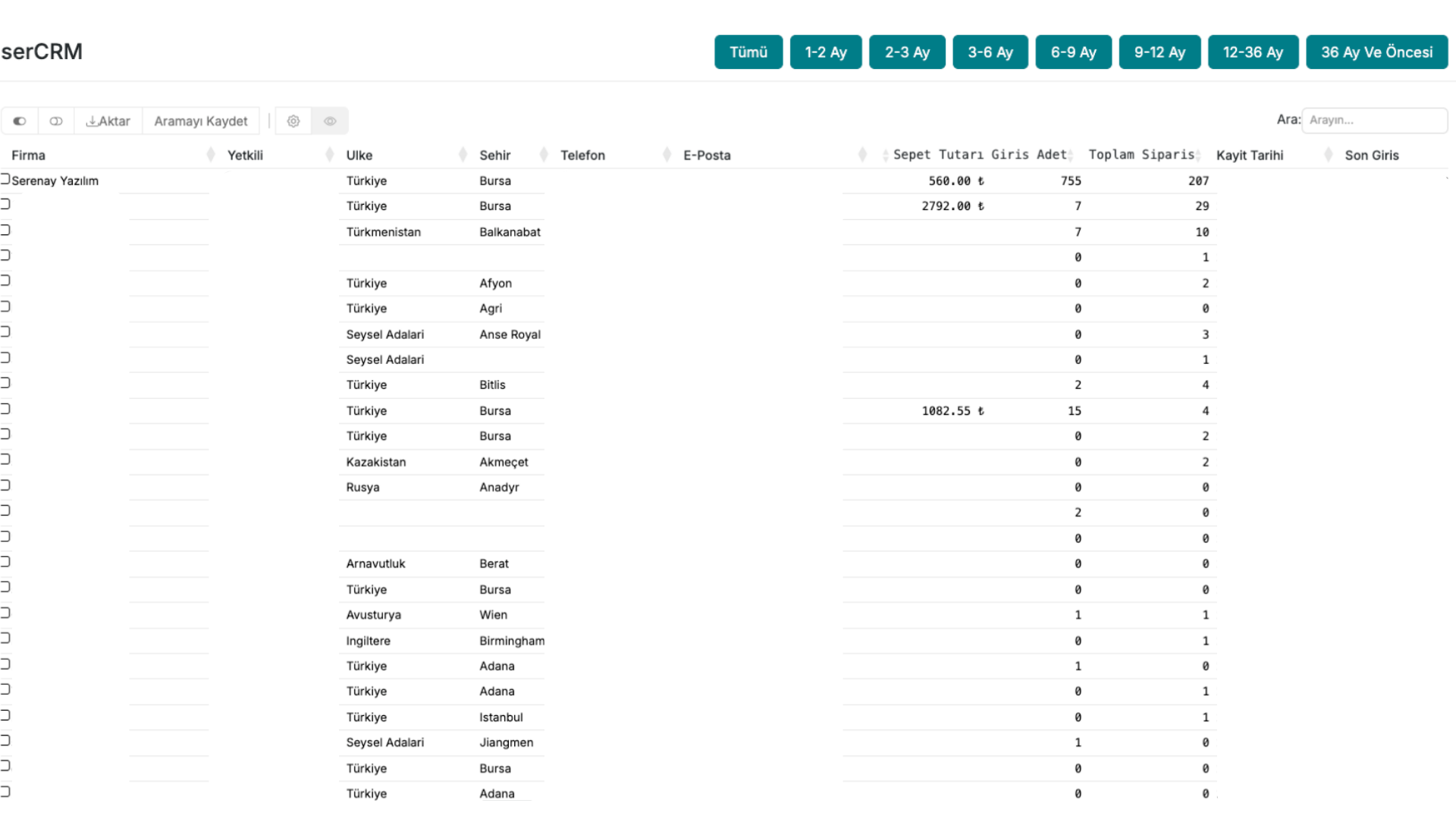
1. What does this screen do?
The Inactive Customer List screen lists customers who have previously placed orders but have not logged into the system at all after a certain date. This way, you won't miss the customers you need to engage with.
2. How is it used?
- Go to the Customers > serCRM page.
- The system automatically lists customers who have not logged in after the specified date.
- There is an Add / View Note button next to each customer.
- You can save your notes about the customer by clicking this button.
Extra feature: Manager Notes
If the Manager Notes Module is active, an additional special field opens on the customer detail page.
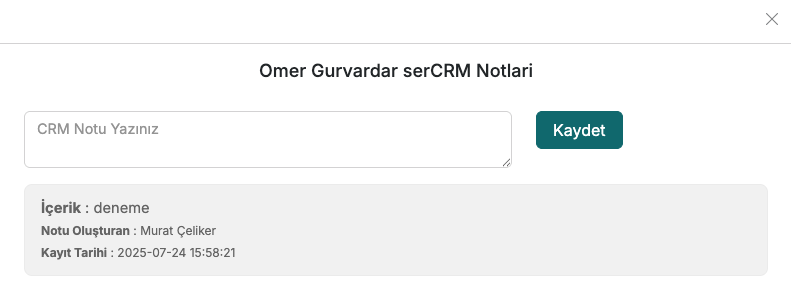
- In this field, you can take different notes specific to the customer.
- A modal window opens to add a note. (Modal: A note window that opens over the screen.)
- This modal provides you with a more detailed and organised note-taking experience.
3. How is it useful?
- You can create special campaigns or reminders for customers who have not logged in for a long time.
- You can develop your sales strategy by noting why each customer has become inactive.
- You can work more organised with your team by managing all notes from a single screen.
tip
Regularly checking this list is a great way to increase customer loyalty.