Customer Source List
The "Customer Source List" feature in serB2B allows you to automatically import customer information from your accounting software or easily upload your potential customers via an Excel file. With this feature, you can add prospective customers who are not yet registered in the serB2B system, consolidate all your customers in one place, and simplify operations. This way, you can track customer activity and increase your trading volume by offering special campaigns.
Viewing the Customer Source List
To view the customer list you have integrated or uploaded into your serB2B system, go to Customers > Customer Source List from the admin panel.

1. Importing Customer Data via Excel
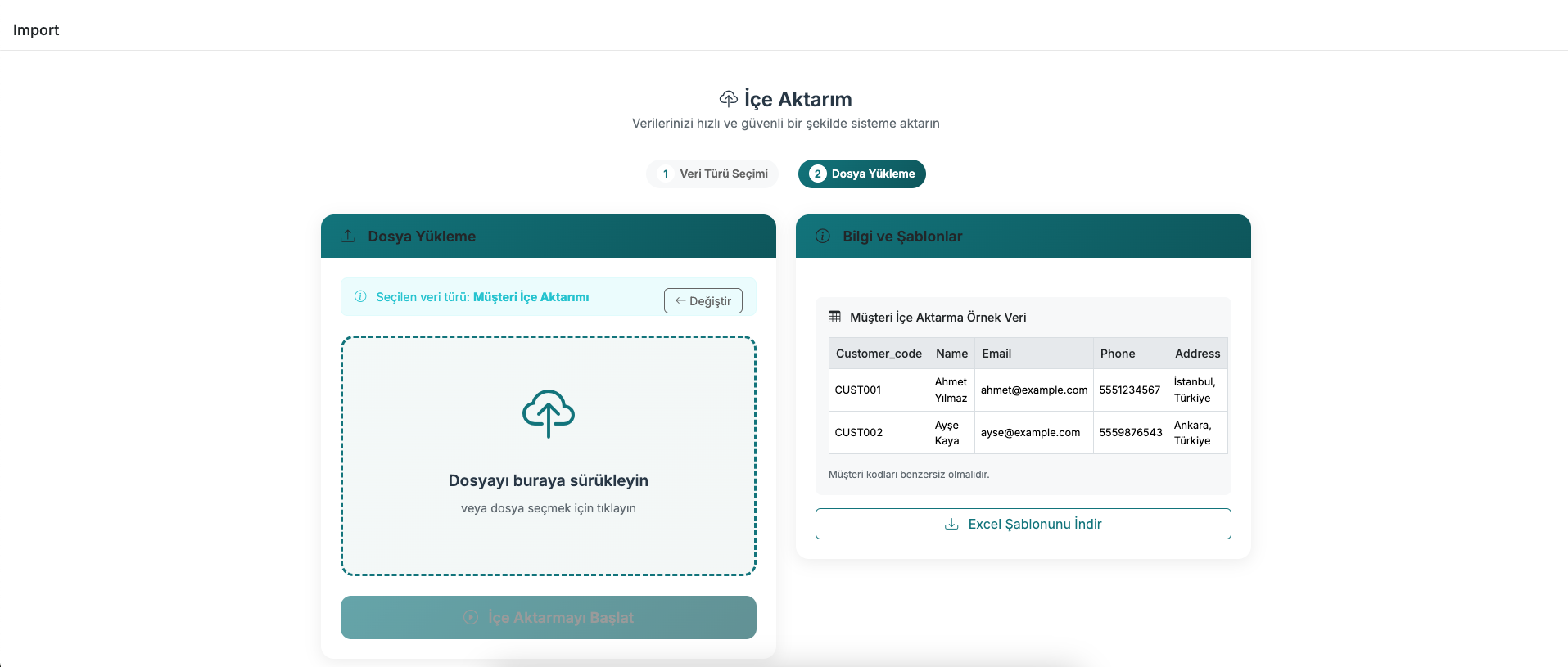
To import your prospective customers into the Customer Source List, go to Settings > Import from the serB2B admin panel and follow the steps below:
Step-by-Step Guide
- Customer Sources Selection: Check the Customer Sources option from the list that appears.
- Choose File: Click the button to select the Excel file you want to import.
- Save: Click the Save button to complete the process.
To activate the membership of potential customers in the Customer Source List, you can click the Add button. You can use the Detail button to view notes and details about the customer.
Example Image:

2. Integration with Accounting Software
If you want to import customers registered in your accounting software into the Customer Source List, you can use the serSync PRO feature. serSync PRO integrates your accounting software with your serB2B system, automatically synchronising customer data.
For more information about the serSync PRO features included in your package, you can contact our support team.
Frequently Asked Questions (FAQ)
-
What data can be imported to the customer source list?
Customer names, addresses, phone numbers, and other details can be imported from an Excel file or your accounting software.
-
Is importing data to the customer source list paid?
This feature is part of the serB2B packages and does not require an additional fee.
-
Can I edit the information imported to the customer source list?
Yes, you can edit the imported customer information via the admin panel while activating the customer.
-
Do I need to use a specific format in the Excel file?
Yes, you can get detailed information about the required template from our support team.
-
How does serSync PRO work and how is it integrated?
serSync PRO automatically synchronises your accounting software with your serB2B system. For more information, you can contact our support team.
Related Resources
Contact and Support
If you encounter any issues or need assistance, you can contact our support team. We will be happy to assist you as soon as possible.