serSMS
serSMS is the module used to send bulk SMS to customers registered in the system. It is ideal for sending campaign announcements, reminders, or informational messages.
1. Prepare your target customer list
To determine the customer group you will send SMS to, first go to the Customers screen and apply a filter like the following.
For example
- Order Count > 1
- Last Login Date > 3 months ago
2. Save the search
After applying the filters above, click the "Save Search" button at the top of the screen to save this customer group with a name. For example:
Active Customers Who Haven't Logged In for 3 Months
You will be able to select this saved search later on the serSMS screen.
3. Go to the serSMS screen
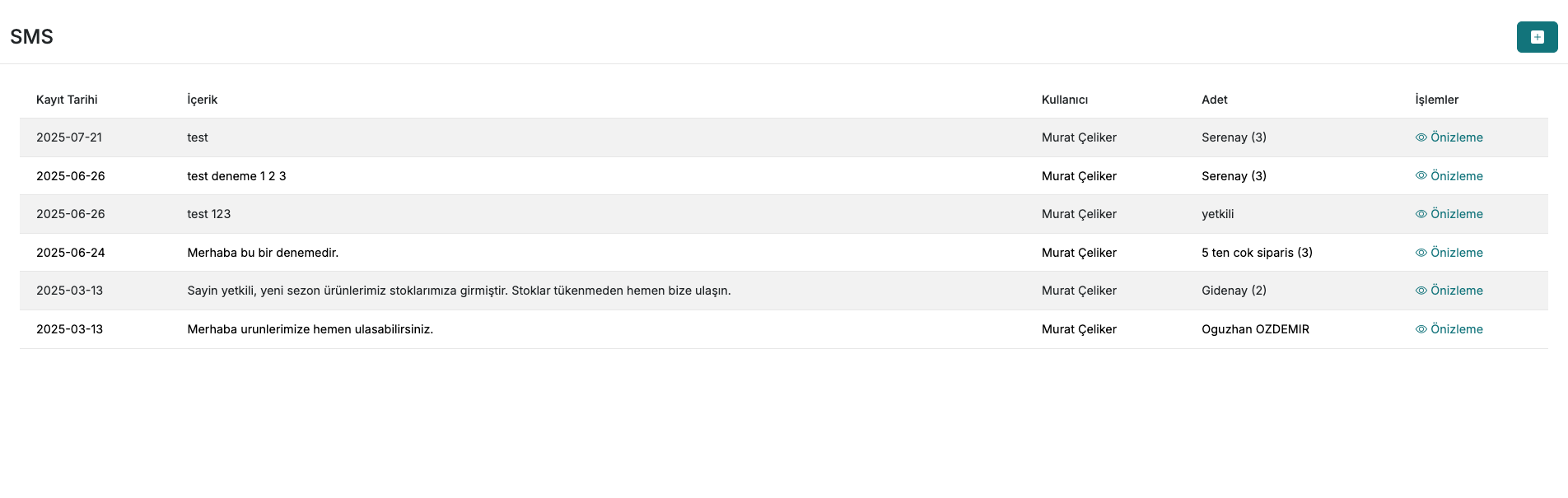
- Open the Customers > serSMS module.
- Select the filter you just created from the Saved Searches list.
- Write your message text.
Make sure your SMS text complies with your provider's character limits. Keep it short if necessary.
4. Start the sending
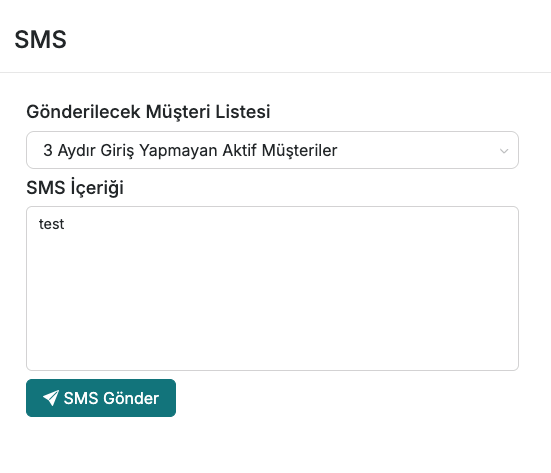
After checking your message, click the "Send SMS" button to complete the process. The system will deliver the message to all customers matching the selected filter.
Contact and Support
For any questions or support requests, you can contact our support team. We will be happy to help.